Embedding GlutenFreeMap
You can embed GlutenFreeMap into another website by copying the HTML snippet generated by the application and pasting it into the page where you want the map to appear. Only public lists can be embedded.
How it works
In the GlutenFreeMap menu, there is an option called Embed on your website. When you select it, the application opens a dialog containing HTML code for an iframe.
That code points to the currently selected GlutenFreeMap list, so visitors to your website will see the same map and data source.
Steps
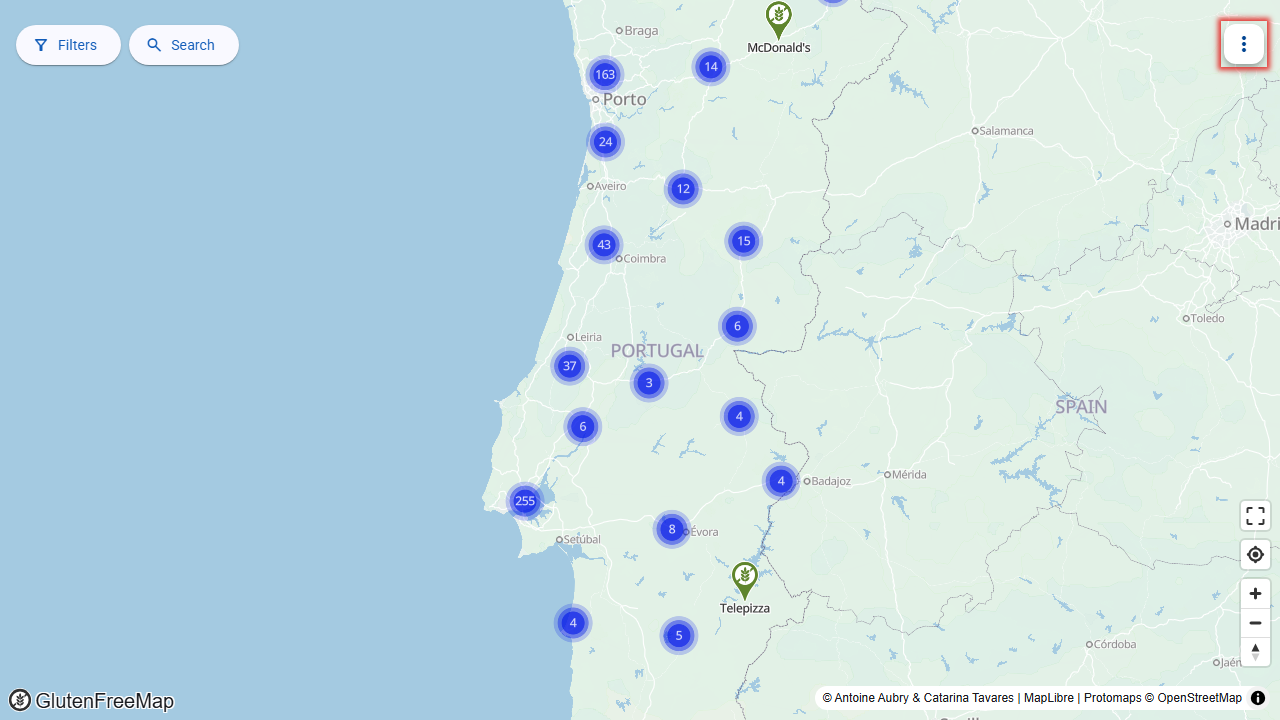
Start by opening the application's menu:
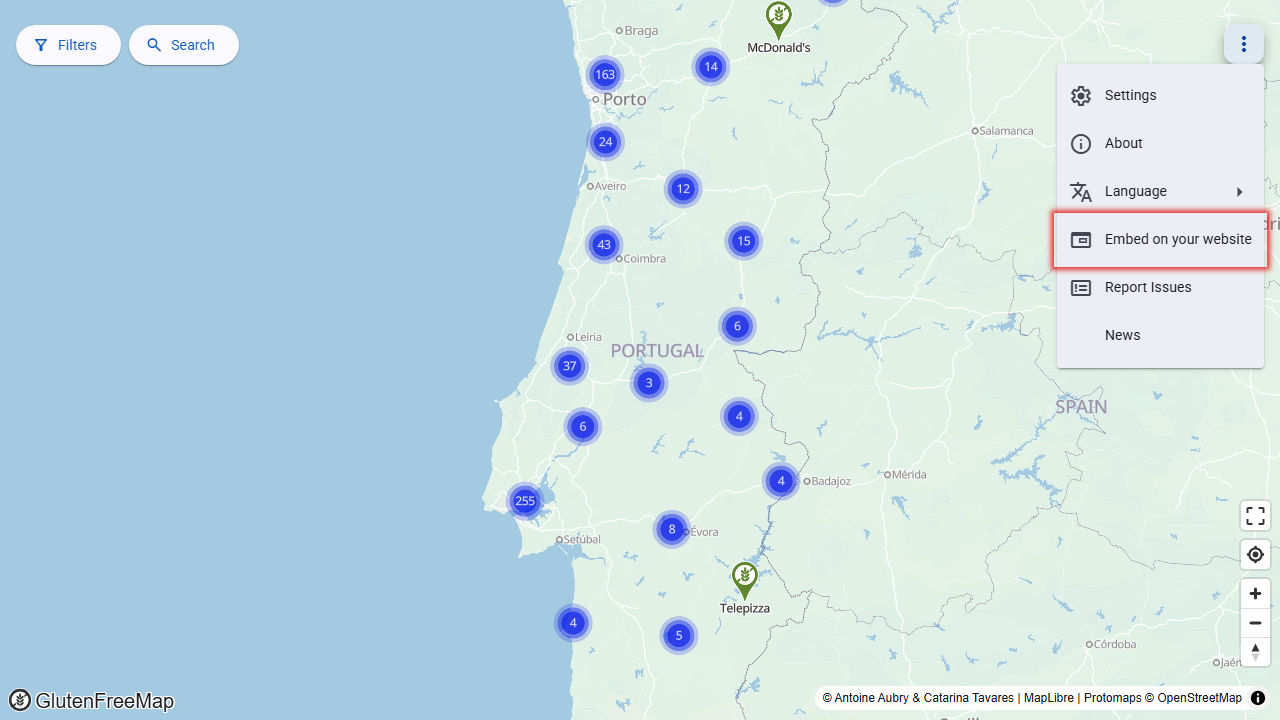
Select the "Embed on your website" option:
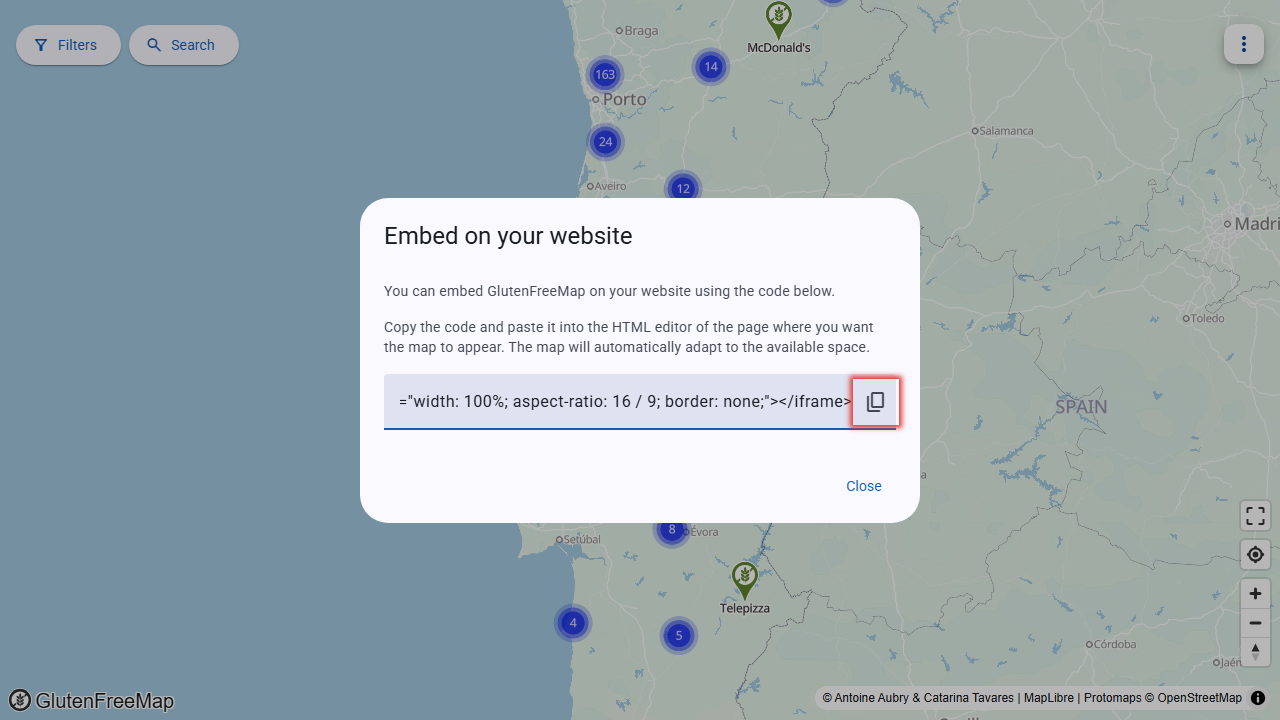
Copy the HTML code shown in the dialog using the "copy" button:
Paste that code into the HTML editor of your website. You should see GlutenFreeMap inside your page:
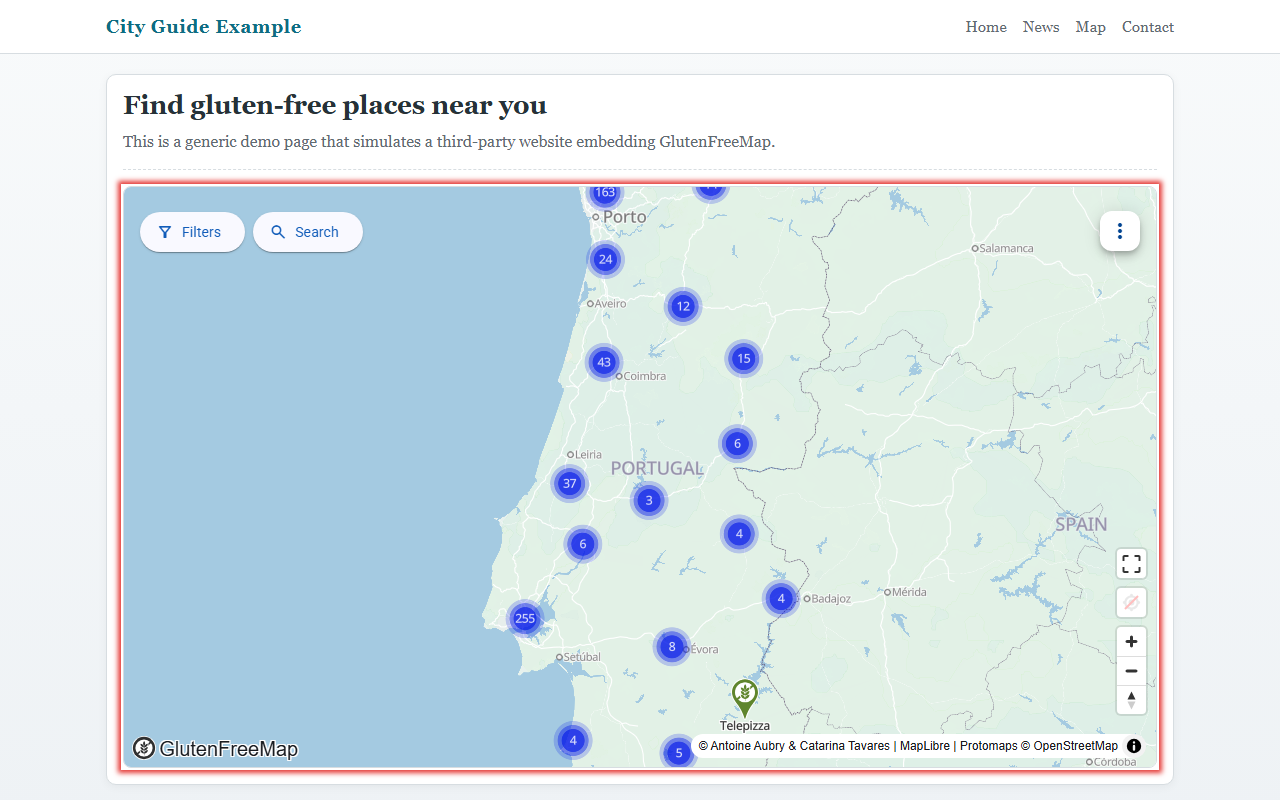
Example
The generated code looks like this:
<iframe src="https://glutenfreemap.org/?repo=your-list-identifier" style="width: 100%; aspect-ratio: 16 / 9; border: none;"></iframe>
The exact value of the src attribute depends on the list currently open in GlutenFreeMap.
What to expect
- The embedded map is displayed inside an
iframe. - The default embed code uses
width: 100%, so it expands to the width of its container. - The default embed code uses an aspect ratio of
16 / 9. - The border is removed by default.
Adding it to your site
Paste the generated snippet into the part of your page where the map should appear. This is usually done in:
- an HTML block in a CMS,
- a custom HTML widget,
- a page builder embed block,
- or directly in the HTML source of your website.
If your website editor removes iframe elements, you may need to use a section that allows raw HTML embeds.
Customization
You can adjust the generated code after pasting it into your site. For example, you may want to:
- change the height or aspect ratio,
- place the map inside a narrower container,
- or add a title attribute for accessibility.
For example:
<iframe
    src="https://glutenfreemap.org/?repo=your-list-identifier"
    style="width: 100%; min-height: 32rem; border: none;"
    title="GlutenFreeMap"
></iframe>
Notes
- The embedded content is still served by GlutenFreeMap.
- Only public lists can be embedded.
- The embed code must be copied from the application before adding it to another website.
Troubleshooting
The iframe does not load or shows a blank area
This usually happens when the host website blocks external content. Check for these issues:
Content-Security-Policy header
Your website may have a Content-Security-Policy (CSP) header that blocks iframes from third-party domains. To allow GlutenFreeMap, add glutenfreemap.org to the frame-src directive:
Content-Security-Policy: frame-src 'self' https://glutenfreemap.org;
Website editor or CMS
Some content management systems (CMS) or page builders strip out iframe tags for security reasons. Check your editor settings:
- Look for an "Allow iframes" or "HTML embed" option.
- Switch to a raw HTML editing mode if available.
- Check for plugins or extensions that filter HTML.